5 Failures From 3 Months Building a Personal AI Agent
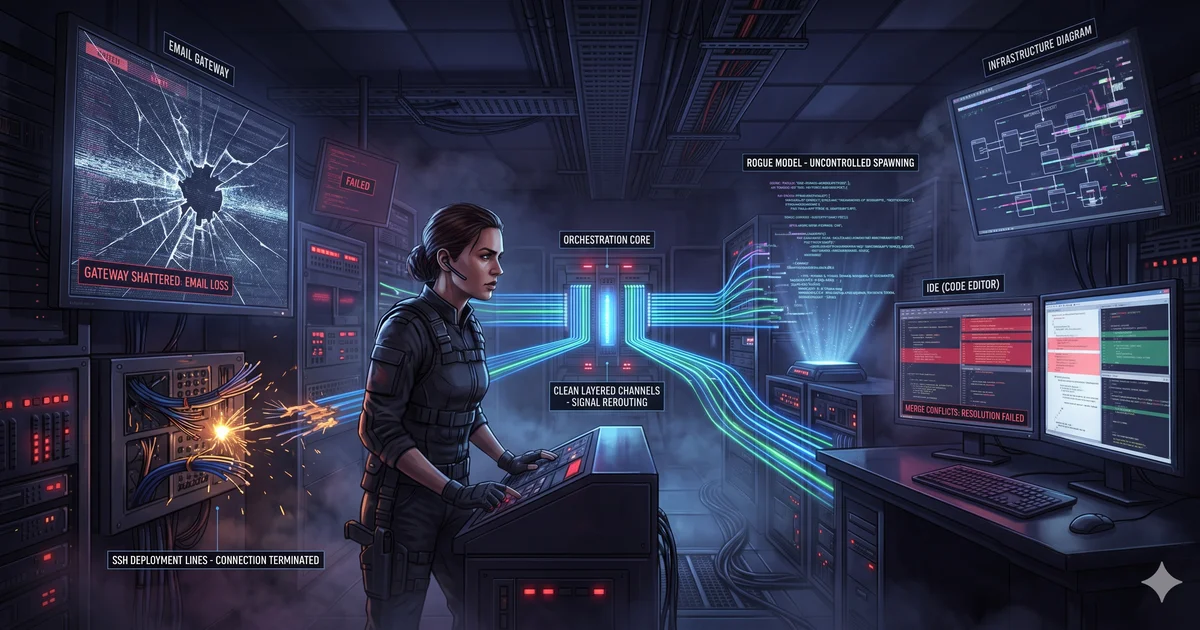
The first version of this article, about the failures from building a personal AI agent, was too dramatic and not precise enough. It claimed two email accounts were “killed,” four days were lost to self-deployment, and five architectures failed. My records support one deleted Gmail account and several concrete operational incidents. They do not support every original number or a causal explanation for the deletion.
This is the failure report I can defend: dates, observed impact, root cause where known, remediation, and the gaps that remain open.
The three-month timeline
| Date | Event | Measured impact | Confidence |
|---|---|---|---|
| Apr 29 | Gmail transport passed an end-to-end test | Working baseline established | Recorded |
| May 1 | Google account found deleted; migration began | Account and integration abandoned | Event recorded; cause unknown |
| May 1 | Thunderbird/GMX path passed three test sends | New baseline established | Recorded |
| May 3 | Thunderbird process and bridge were down | 47+ minutes in error; no send/receive path | Incident report |
| May, audit | Self-improvement logic appended Markdown to Python | Three scripts invalid for at least five hours | Lesson register |
| Following audits | Reboot and resolution checks exposed more gaps | Several failures; total time not measured | Lesson register |
The downloadable timeline at the end preserves the same distinction between observation and interpretation.
Failure 1: I confused a provider event with a root cause
On April 29, the Gmail integration was verified end to end. On May 1, the operating record says the account had been deleted and the integration was deprecated. The original article asserted that autonomous email behavior triggered Google's abuse controls.
I do not have provider evidence for that causal claim. The defensible conclusion is narrower: the design had a single-provider dependency, recovery required a transport migration, and I had not prepared a tested fallback.
The replacement used Thunderbird, a local MCP bridge, and GMX. That reduced direct credential exposure and decoupled agent tools from the provider API. It did not make email reliable by itself, as the next incident proved.
Change made: treat the provider as a replaceable adapter; keep human approval on outbound messages; document a fallback before the primary path fails.
Failure 2: the successful test hid a missing lifecycle
The new path passed three test sends on May 1. Roughly two days later, Thunderbird was not running, its connection file did not exist, the local port refused connections, and the poller had been in error for more than 47 minutes.
The five-whys report found the root cause: a manually started GUI process was treated as permanent infrastructure. The poller exited when the dependency disappeared; there was no restart policy or health check. The recorded repair took about 30 minutes and added a process check, stale-file cleanup, one retry, and a systemd unit.
Two important caveats remain. Enabling the user service was still a manual action, and the destructive self-healing test—kill Thunderbird and prove automatic recovery—was pending. A written restart path is not a verified recovery path.
Change made: every daemon dependency now needs an owner, startup contract, health signal, restart policy, and tested recovery scenario.
Failure 3: self-improvement modified files it did not understand
The most instructive failure was caused by a feature intended to improve the system. A maintenance script appended a Markdown “Self-Improvement” section to three Python files because it did not check file type. The scripts then failed to import for at least five hours before the audit found the damage.
This was not a model-quality problem. The system granted a generic text mutation path authority over executable code without a parser, test, or post-change verification gate.
Change made: skip unsupported file types, validate syntax after mutation, contain changes in a diff, and require rollback data. A system that edits itself needs a narrower write contract than a human editor—not a broader one.
Failure 4: reboot was not part of the test plan
A later reliability audit captured a cluster of restart failures: optional environment variables vanished and strict shell scripts crashed; Thunderbird did not return; disk utilization grew from 56% to 94% without an automated health check.
Each component had worked before the restart. The system failed because “works now” had been mistaken for “starts cleanly, restores dependencies, reports degraded state, and stays within capacity.”
Change made: add a reboot acceptance test: all required services return, secrets and configuration are resolved through the approved path, disk and queue thresholds alert, and one synthetic workflow completes.
Failure 5: I closed issues without proving the fix
The lesson register records one issue marked resolved without a verification checklist; it later had to be superseded. By contrast, two other issues were only considered resolved after their checklists exposed remaining gaps.
This is a deceptively expensive failure mode. An unverified “fixed” label removes attention from a defect while preserving the defect. It also pollutes every reliability metric built on issue status.
Change made: resolution now means the original failure can be reproduced, the fix changes the outcome, the prevention control is observable, and any residual risk is explicitly open.
Cost of failure: measured versus unknown
| Failure | Measured cost | Cost I did not track |
|---|---|---|
| Provider loss | Migration and account replacement | Engineering hours, missed messages |
| Email daemon outage | 47+ minutes detected outage; 0.5-hour MTTR recorded | Exact outage start, lost opportunity |
| Unsafe self-modification | Three invalid scripts for at least five hours | Downstream jobs affected, recovery time |
| Reboot fragility | Disk growth from 56% to 94%; multiple failed services | Time to diagnose and restore |
| Premature closure | One resolution superseded | Repeat-work hours and reliability impact |
I cannot honestly turn those rows into a dollar total. That missing instrumentation is itself a finding. Future incident records should capture start time, detection time, recovery time, affected workflows, manual interventions, and direct spend.
The pre-production checklist I now use
- Dependency: can every external provider and daemon be replaced, restarted, or degraded safely?
- Authority: can the agent mutate only the file types and resources it understands?
- Verification: does every mutation run the relevant parser, test, and invariant checks?
- Recovery: has the restart or rollback path been executed, not merely documented?
- Observability: can I measure detection time, recovery time, affected work, and human interventions?
- Closure: does “resolved” include a reproduced failure and evidence that the prevention control works?
This narrative explains what changed my operating practice. The companion article, 5 Infrastructure Layers Every Production AI Agent Needs, turns the lessons into a technical reference model. The deeper controls are covered in my self-healing feedback-loop architecture and agent reliability SLO framework.
Download the evidence timeline
The CSV includes event date, observation, evidence type, measured impact, root cause status, remediation, and remaining verification work.