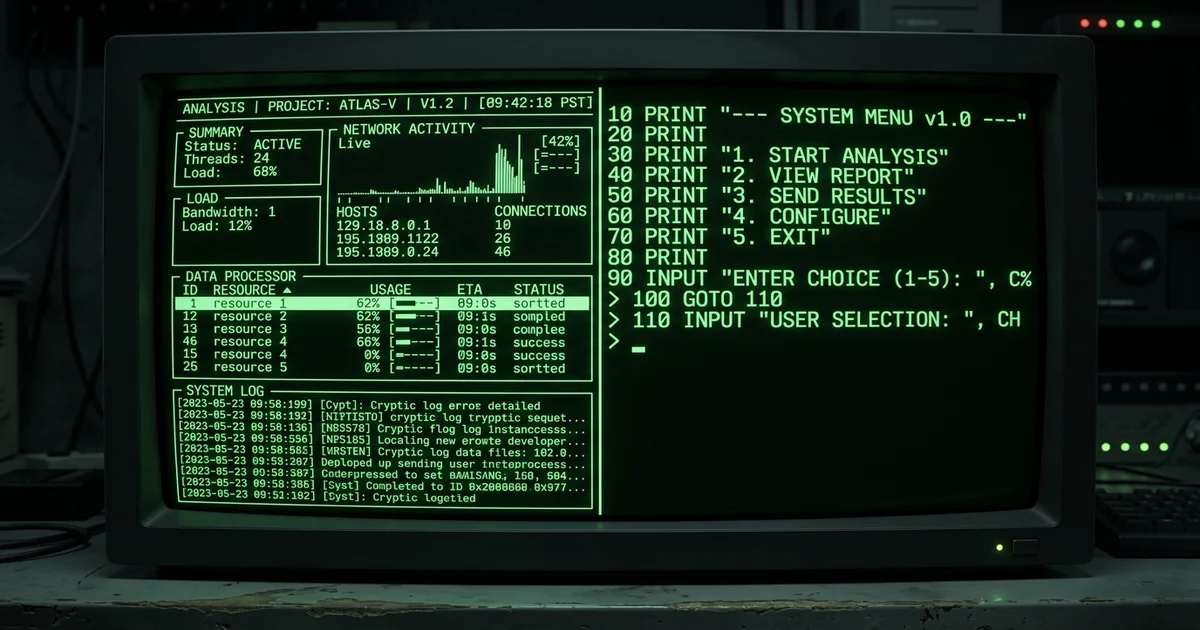
When Smart Models Go Stupid: 5,000 Lines of Perfect Analysis, Then a print() Statement
I asked GPT-5.5 / Codex to build a TUI for my film pipeline project.
The analysis was breathtaking. The delivery was a joke.
Here is a story about a model that nails the well-trodden path and falls apart on the novel one. Not making universal claims. Just one data point and what I think it means.
The Ask
My project, film-pipeline-langgraph, is a LangGraph-based studio operating system. It orchestrates dozens of expert agents through a film production pipeline: intake, script development, visual development, generation, delivery. It has typed state, MCP contracts, review gates, checkpoints, provider health, and audit trails.
I had been controlling it through raw MCP tool calls and JSON. It worked, but it was not operable. I needed a terminal UI. Something an operator could sit at for hours, drill into scenes, approve phases, check provider health, roll back checkpoints.
I fired up Codex, pointed it at the codebase, and said: design and build a TUI operator console. One prompt, all at once. In hindsight, that was my first mistake.
The Analysis: Genuinely Excellent
Codex went to work. It produced 17 documents, roughly 5,000 lines, in docs/tui-operator-console/:
| Document | Content |
|---|---|
00-product-intent.md | Problem statement, 5 whys, design principles, success definition |
01-operator-jobs-and-personas.md | Three personas (Studio Operator, Creative Director, Technical Operator), JTBD framework |
02-ux-information-architecture.md | Screen hierarchy, navigation model, information priority |
04-technical-architecture.md | 377 lines on layers, event model, async strategy |
05-mcp-surface-and-view-models.md | Typed view models, gateway contracts |
09-wireframes.md | ASCII wireframes: 3-panel shell with project sidebar, main workspace, context drawer |
11-use-cases.md | 1,285 lines of detailed use cases |
13-e2e-user-flows.md | 589 lines of end-to-end flows |
pages/* | 12 page specs: dashboard, review, scenes, assets, validation, checkpoints, providers, audit, settings |
The analysis was genuinely good. It found the real bottleneck (operator throughput), defined clear personas, made wireframes I could actually use as specs, and laid out a sensible phased plan.
It even did a careful framework analysis, considering toad vs Textual vs Rich, and made a good case for Textual given the complexity.
Here is what it said about toad, directly from the chat:
"If by toad you mean the Python TUI library, I would not choose it for this project. Reason: this TUI is no longer a small terminal app. It needs multiple first-class pages, panes, drill-down navigation, background refresh, draft handling, and complex stateful workflows. It also needs room for scene/asset/structure workspaces, not just forms and lists. For that shape, Textual is a better fit."
Then it shipped.
The Delivery: A print() REPL
Here is what Codex actually built, in its entirety:
def run(self) -> int:
self._output(title("LangGraph Film Studio"))
self._output("Operator console. Choose an action number, or q to quit.")
while True:
self._output(self._menu())
choice = self._input("> ").strip().lower()
if choice in {"q", "quit", "exit"}:
return 0
self._dispatch(choice)
A while True loop with input() and print().
13 numbered options. No keyboard navigation. No panes. No async refresh. No drill-down. No context drawer. No wireframe layout. No Textual. Nothing the 5,000-word analysis called for.
The full implementation across four files is about 300 lines of thin pass-through code. Screens render as ASCII tables from json.dumps. The "dashboard" is a single-row table printed to the terminal. The "validation workspace" prettifies a dict.
Compare what the wireframes showed — a 3-panel shell with project sidebar, context drawer, command palette, live refresh — with what actually rendered on screen: a numbered menu in a terminal.
| Feature | Analysis Scope | Delivered |
|---|---|---|
| Shell layout | 3-panel: projects sidebar + main workspace + context drawer | Single column, numbered menu |
| Navigation | Keyboard-driven, command palette (g d dashboard, g r review) | Type a number, press enter |
| Async refresh | Live polling, status indicators | None. Re-render on every input |
| Dashboard | Summary card, orchestrator summary, action board, risk board, activity log | One row in an ASCII table |
| Review workspace | Side-by-side artifact comparison, revision notes | Single text dump |
| Provider health | Color-coded status, inline warnings | Plain text table |
| Checkpoints | Diffs, rollback preview | Listed by ID |
| Framework | Textual (async, widgets, CSS layouts) | input() / print() |
| Project sidebar | Filter, status indicators, phase labels | "Active project: none" |
The Framework Wars Irony
The ironic part? Codex spent serious effort arguing against the simpler path. It acted like the architect who knew better than to reach for a lightweight solution:
"toad could be fine if you wanted: a lightweight CLI/TUI, simple forms, simple menus, low complexity interaction"
Then delivered something less functional than a toad example would have been.
It turned down the pragmatic choice because the bar was supposedly too high, then failed to clear even the low bar.
Why This Happens
The training data blind spot is part of the story. But I think there are three other things going on.
1. The Context Budget Trap
At the time of the request, the model had already generated about 5,000 lines of analysis. That output sat in its context window. When it switched from analysis to code generation, it was already deep in its own prose, reasoning tokens spent, attention spread thin. What looked like "a model that can't build a TUI" might have been "a model that spent its best reasoning on architecture and had scraps left for code."
This is a known failure mode: LLM code quality degrades as generation gets long, especially when early output eats the model's best reasoning. The fix is obvious in hindsight: don't ask for both analysis and implementation in one shot.
2. The Debugging Blindness
Autoregressive models generate code in a single pass. They don't compile. They don't run. They don't see the error message, fix the import, try again. Building a working TUI with Textual requires iterative trial and error, something no current LLM can do without external tooling.
The model was not producing a bad TUI because it does not know TUIs. It was producing a bad TUI because it could not iterate toward a working one.
3. The Training Data Blind Spot
That said, the blind spot is real. Domain-specific TUIs for LangGraph film pipelines do not exist in training data. Analysis of such systems does exist, like architecture docs, UX articles, and design patterns. The model can generate plausible prose about something it has never seen built. But generating working code for it? That requires knowing which boilerplate works, which imports resolve, which callbacks fire in which order. That knowledge only comes from doing, not from reading.
The model wrote the architecture doc of a TUI it had never built. It then built the TUI of someone who had only read architecture docs.
In the analysis phase, this does not matter. Analysis is predictive completion: "what would a good TUI for this project look like given the requirements?" It draws on architecture patterns, UX heuristics, and design documents that are well-represented in training data.
In the implementation phase, the model has to execute. And execution requires bridging from abstract design to concrete code, wiring state management, handling terminal resize events, implementing async callbacks, managing widget lifecycle, handling edge cases. These are the things training data does not teach you because training data is mostly finished code and textbook patterns, not the messy process of making something work.
The Confidence Problem
The most dangerous part: the model was completely confident throughout.
It never said "I am not sure I can deliver this well." It never flagged the risk that the implementation quality would fall short of the design. It projected the same authoritative tone for the wireframes and the execution.
Part of this is my fault. I did not ask for confidence estimates, did not prompt for uncertainty, did not run validation checks during generation. With temperature set to zero and no explicit instruction to express doubt, no model would. The confidence problem is a two-way street. The model produces plausible text, and the user assumes plausible equals capable.
But there is a deeper issue. Research on LLM calibration shows models are consistently overconfident on novel or difficult tasks. They generate authoritative text about capabilities they do not have, and we have to build our own radar for when to trust and when to verify.
A note on scope: this is one case study with one model on one task. I have not tested whether this gap reproduces across models, prompts, or domains. If you have seen the same pattern, I would love to hear about it. If you have seen models close the gap, I would love to hear about that too.
What I Did Next: The Analysis Won
After Codex failed delivery, I had a choice: keep fighting the model or use the analysis myself.
So far, I have chosen the latter. The 5,000-line design document was genuinely good. It had the right architecture, the right personas, the right wireframes. What it needed was a human executing the implementation, but that human still has not found the time.
The truth is, the TUI has not been built. Not by the model, not by me. The design document sits on disk, referenced occasionally, waiting. The analysis was supposed to accelerate the build. Instead, it became a monument to what could be, a detailed blueprint with no contractor.
This is the real lesson: the analysis was the deliverable. I should have seen it that way from the start. I paid for architecture consulting and got it. The code was a bonus that happened to be worthless. And the risk I did not account for? That once I had the perfect plan, the urgency to build evaporated. A bad prototype would have forced iteration. A beautiful design doc let me feel like I had made progress without actually making any.
What This Means for Practitioners
1. Treat analysis and delivery as separate purchases.
I got $50 worth of brilliant architecture consulting, then $5 worth of code. If I had separated the phases (pay for analysis, review, then ask for implementation), I would have spotted the gap before wasting the execution budget.
2. Be most skeptical where training data is thinnest.
The model is best at: web UIs, REST APIs, CRUD, data processing, known frameworks. The model is worst at: domain-specific UIs, novel combinations of existing tools, systems with complex state and real-time requirements, anything requiring deep understanding of your specific architecture's constraints.
3. Demand prototypes, not plans.
A five-page design doc is cheap for a model. A working prototype costs real reasoning tokens. If you want to validate implementation capability, ask for a working 50-line proof of concept before accepting the 5,000-line design doc.
4. Iterate, do not request.
This is the big one I missed. Instead of one prompt asking for everything, I should have broken it into 5 rounds:
- "Write wireframe specs" then review
- "Build the shell layout" then review (would have caught the failure immediately at minimal cost)
- "Wire up the dashboard page" then review
- "Add event polling" then review
- "Add remaining pages" then review
At step 2, the model's delivery failure would have been obvious. Instead, I paid for the full failure up front.
5. Watch for the framework argument heuristic.
When the model argues you need a complex framework because your use case is too sophisticated for a simple one, be suspicious. This is often a fluency heuristic. It sounds right because it mirrors countless Stack Overflow answers and engineering blogs. But the model might be arguing for Textual because it is trained on more Textual content, not because Textual is actually the right call for your project.
The Bottom Line
Models are incredibly smart within their training distribution. Give them a well-covered problem and they outperform most humans on both analysis and delivery.
Give them a novel problem, something that requires bridging from abstract design to concrete execution in a domain with sparse training data, and the analysis-delivery gap can be enormous. The model will write beautiful architecture documents and then hand you a while True loop with print().
The confidence is the trap. A model that said "I can design this well but my implementation quality is uncertain" would be safer. Instead, we get flawless confidence across the board, and we have to build our own radar for when to trust and when to verify.
I still use Codex daily. But I no longer confuse impressive analysis with capable delivery. They are different skills. For now, only one of them belongs to the model.
Working on a similar problem? Let's talk about how I can help your team.
Get in Touch